• English
  • 中文 (中国)
  • ES Español
  • HI हिन्दी
  • AR العربية
  • BN বাংলা
  • PT Português
  • RU Русский
  • JA 日本語
  • DE Deutsch
  • FR Français
  • ID Bahasa Indonesia
  • TR Türkçe
  • TA தமிழ்
  • FA فارسی
  • IT Italiano
  • UR Urdu
  • MR Marathi
  • TE Telugu
  • VI Vietnamese
  • 한국어
  • ไทย
  • Tagalog
  • Kiswahili
  • ਪੰਜਾਬੀ
  • Basa Jawa
  • ગુજરાતી
  • Polski
  • Nederlands
  • Українська
  • Bahasa Melayu
  • Română
  • Magyar
  • Ελληνικά
  • Čeština
  • Svenska
  • සිංහල
  • ភាសាខ្មែរ
  • አማርኛ
  • Finnish
  • Icelandic
  • Slovak
  • Slovenian
  • Estonian
  • Latvian
  • Lithuanian
  • Bulgarian
  • Croatian
  • Serbian
  • Macedonian
  • Maltese
  • Luxembourgish
  • Irish
  • Danish
  • Norwegian
  • Hebrew
  • Albanian
Skip to content
-
Subscribe to our newsletter & never miss our best posts. Subscribe Now!
66 Toolbox

Curated reviews of the best file, image, video, audio and AI tools. Honest comparisons, pricing guides and recommendations.

66 Toolbox

Curated reviews of the best file, image, video, audio and AI tools. Honest comparisons, pricing guides and recommendations.

  • Home
  • 66 Toolbox – AI・動画・音声・画像・ドキュメントツールのレビュー
  • 66 Toolbox – Avaliações de Ferramentas de IA, Vídeo, Áudio e Documentos
  • 66 Toolbox – Best AI, Video, Audio, Image & Document Tools
  • 66 Toolbox – Bewertungen der besten KI-, Video-, Audio- und Dokument-Tools
  • 66 Toolbox – Reseñas de Herramientas de IA, Video, Audio y Documentos
  • 66 Toolbox – Обзоры лучших инструментов для видео, аудио и ИИ
  • 66 Toolbox – مراجعات أدوات الذكاء الاصطناعي والفيديو والصوت
  • 66 टूलबॉक्स – बेस्ट AI, वीडियो, ऑडियो, इमेज और डॉक्यूमेंट टूल्स
  • 66 টুলবক্স – সেরা AI, ভিডিও, অডিও, ইমেজ ও ডকুমেন্ট টুলস
  • Home
  • 66 Toolbox – AI・動画・音声・画像・ドキュメントツールのレビュー
  • 66 Toolbox – Avaliações de Ferramentas de IA, Vídeo, Áudio e Documentos
  • 66 Toolbox – Best AI, Video, Audio, Image & Document Tools
  • 66 Toolbox – Bewertungen der besten KI-, Video-, Audio- und Dokument-Tools
  • 66 Toolbox – Reseñas de Herramientas de IA, Video, Audio y Documentos
  • 66 Toolbox – Обзоры лучших инструментов для видео, аудио и ИИ
  • 66 Toolbox – مراجعات أدوات الذكاء الاصطناعي والفيديو والصوت
  • 66 टूलबॉक्स – बेस्ट AI, वीडियो, ऑडियो, इमेज और डॉक्यूमेंट टूल्स
  • 66 টুলবক্স – সেরা AI, ভিডিও, অডিও, ইমেজ ও ডকুমেন্ট টুলস
Close

Search

  • https://www.facebook.com/
  • https://twitter.com/
  • https://t.me/
  • https://www.instagram.com/
  • https://youtube.com/
Subscribe
Document ToolsPDF Editors

Adobe Acrobat Review: The PDF Standard for Editing, Signing and Forms

By 66tools
October 17, 2026 3 Min Read
0

Adobe Acrobat is the application that created the PDF format, and nearly thirty years later it is still the reference point for PDF work. It reads, edits, creates, signs, OCRs and secures PDF files. It is also expensive and subscription-only, which is why a whole ecosystem of cheaper PDF tools exists. The question is not whether Acrobat is powerful, but whether its power justifies the monthly cost for your workload.
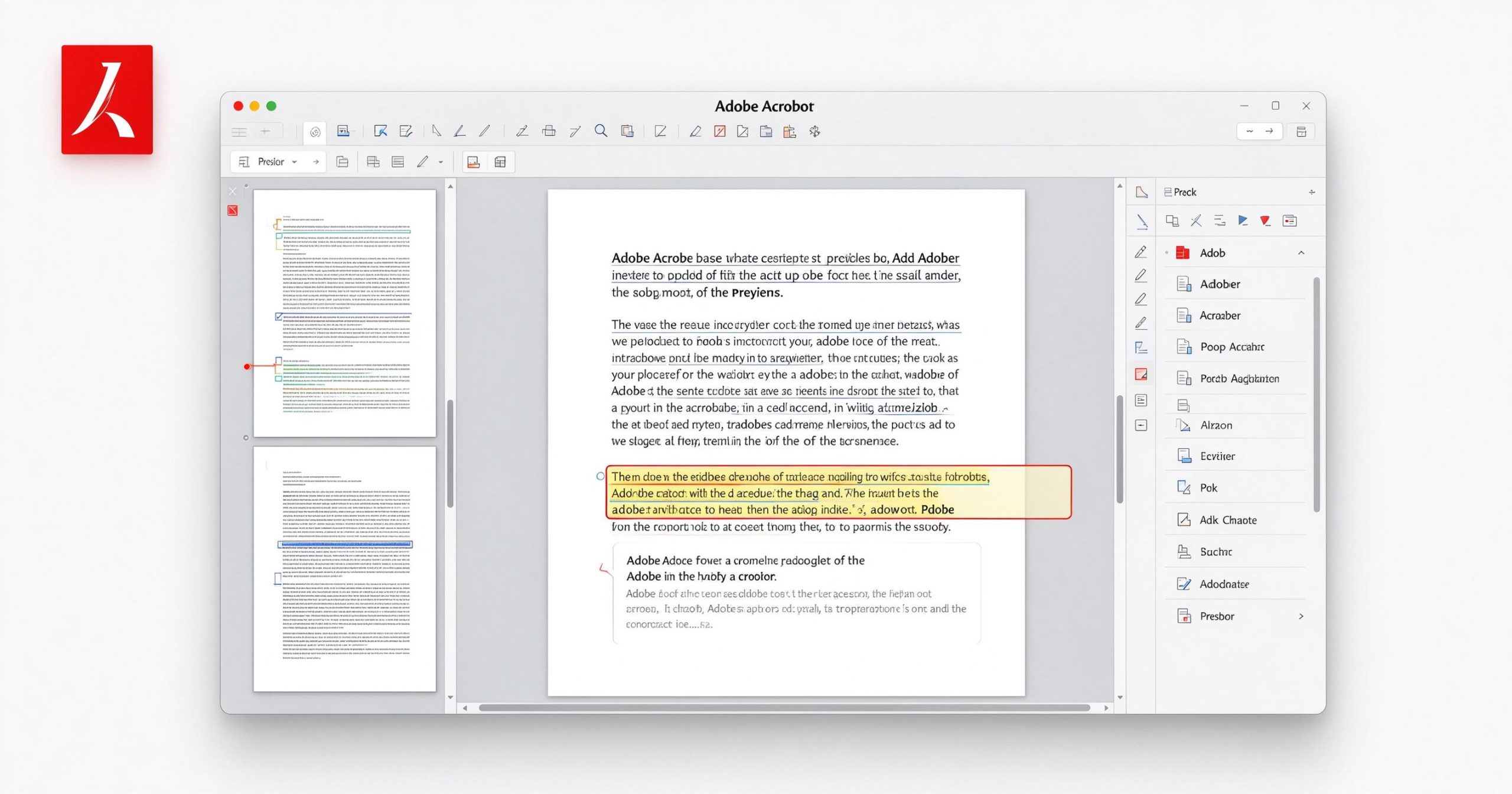
Adobe Acrobat review: professional PDF editor for editing, signing and forms
Adobe Acrobat is the reference PDF editor: editing text, forms, signatures and OCR all in one application.

What Adobe Acrobat is

Acrobat comes in several editions. Acrobat Reader is free and lets you view, annotate and sign PDFs. Acrobat Pro is the paid subscription that adds editing, creation, conversion, OCR, redaction and batch processing. It runs on Windows and Mac, with a web version for basic tasks.

The Pro version can edit text directly inside a PDF (reflowing paragraphs as you type), edit images, reorder pages, split and merge files, export PDF to Word/Excel/PowerPoint with reasonable fidelity, run OCR on scanned documents, create fillable forms, compare two PDF versions side by side, and redact sensitive content. It is the only PDF editor where the editing feels like the document was meant to be edited.

Where it earns its price

PDF editing that actually works. Most PDF editors let you add comments or fill forms. Acrobat Pro lets you change the text in the original layout, replace images, adjust headers and footers, and reflow paragraphs. The editing engine is the best in the business because Adobe invented the format.

OCR and scanned documents. Acrobat’s OCR is accurate, handles multi-page documents, and produces searchable, selectable text. The output is clean enough to edit. For offices that process scanned paperwork regularly, this alone justifies the subscription.

Forms and signatures. Creating fillable PDF forms, sending them for signature, tracking status and archiving completed documents is a complete workflow. The Adobe Sign integration is mature and legally recognized in most jurisdictions.

Enterprise features. Redaction, document comparison, batch processing, accessibility checking and security policies are features that cheaper tools do not offer. If your industry demands audit trails or compliance, Acrobat Pro is the default.

Where it is hard to justify

Price is the obvious objection. Acrobat Pro runs about $15 to $25 per month depending on the plan, and it is subscription-only. If you only need to sign a PDF once a month, this is absurd. The free Reader covers viewing and signing, and there are cheaper tools for occasional editing.

The application is heavy. It installs for several gigabytes, integrates deeply with the operating system, and on slower machines it can feel sluggish. The interface is cluttered, with tools nested several levels deep.

For personal use, many of Acrobat’s features go unused. If your PDF work is merging, splitting, compressing and converting, a lighter tool like PDF24 or PDFsam does the job for free.

What it costs

Acrobat Reader is free. Acrobat Pro DC costs roughly $15 per month on annual billing or about $25 month-to-month. There is no perpetual license. Teams and enterprise plans are priced per seat.

How it compares

For free PDF utilities, PDF24 Creator covers merging, splitting and conversion. For online editing without installation, Sejda is browser-based. For self-hosted privacy, Stirling PDF is open-source. Acrobat Pro wins when you need to edit existing PDFs, run OCR at scale, or handle forms and signatures professionally.

Frequently asked questions

Is Adobe Acrobat free? The Reader app is free for viewing and signing. Editing, OCR and creation require a Pro subscription.

Can I buy Acrobat outright? No, it is subscription-only. Older perpetual versions exist but are no longer supported.

Is Acrobat Reader safe? It is widely used and receives regular security updates. Keep it updated.

Verdict

Adobe Acrobat Pro is the best PDF editor available, and it knows it. The price is hard to swallow for occasional use, but for offices that process PDFs daily, the editing quality, OCR accuracy and form workflow justify the cost. Start with the free Reader; upgrade to Pro only when you regularly need to edit text inside existing PDFs or process scanned documents.

Official site: Adobe Acrobat

Editorial note: Features and pricing can change. Verify current details directly with the provider.

TOOLS ACCESS COMMUNITY

Unlock the Telegram group to access all tools on this site

A one-time payment of US$5 gives you access to the Telegram group and all tools on this site. No subscription.

Enable JavaScript to securely check payment and reveal the invite link.


Share this article

FFacebookXXWWhatsAppLLinkedInPPinterestTTelegram

Author

66tools

Follow Me
Other Articles
Previous

WPS Office Review: A Free Microsoft Office Compatible Suite for Any Device

Next

Midjourney Review: The AI Image Generator That Set the Creative Standard

No Comment! Be the first one.

Leave a Reply Cancel reply

Your email address will not be published. Required fields are marked *

Categories

  • AI Tools (67)
  • Audio Editors & DAWs (7)
  • Audio Tools (38)
  • Document Tools (40)
  • eSignature Tools (4)
  • Image Apps (66)
  • Online Document Editors (5)
  • PDF Converters (2)
  • PDF Editors (5)
  • PDF Readers (1)
  • PDF Utilities (3)
  • Podcast & Voice Tools (6)
  • Scanning & OCR (4)
  • Site Updates (1)
  • Uncategorized (1)
  • Video Apps (61)

Recent Posts

  • LM Studio Review 2026: Run Local AI Models Offline with This Free Desktop App
  • WavePad Review 2026: NCH’s Feature-Rich Audio Editor for Windows & Mac
  • Scrivener Review 2026: The Long-Form Writing App for Novels, Theses & Scripts
  • WeVideo Review 2026: Online Video Editor for Creators, Teams & Educators
  • PhotoDirector Review 2026: CyberLink’s AI Photo Editor, Features & Pricing

Recent Comments

  1. Léirmheas Nano Banana Pro: Eagarthóir Íomhánna 4K AI Google – 66 Toolbox on Midjourney: Create Images and Explore Visual Ideas with AI
  2. Léirmheas Kling AI: Fís Físeáin le Fuaim Dúchasach agus Rialú Il-sheite – 66 Toolbox on CapCut Review: Quick Video Editing and Captions for Social Media
  3. Léirmheas Otter.ai: Nótaí Cruinnithe AI is Féidir Leat a Chuardach Níos déanaí – 66 Toolbox on Fireflies.ai Review: Searchable Notes for Meetings and Interviews
  4. Léirmheas Video Converter Factory: Comhshó Baisc agus Comhbhrú ar Windows – 66 Toolbox on PowerDirector Review: Desktop Video Editing with AI Features
  5. Léirmheas DaVinci Resolve: Eagarthú Grád Hollywood agus Grádú Dath in Aisce – 66 Toolbox on CapCut Review: The Free Video Editor Behind Most Viral Short Form Clips

Archives

  • October 2026

Categories

  • AI Tools
  • Audio Editors & DAWs
  • Audio Tools
  • Document Tools
  • eSignature Tools
  • Image Apps
  • Online Document Editors
  • PDF Converters
  • PDF Editors
  • PDF Readers
  • PDF Utilities
  • Podcast & Voice Tools
  • Scanning & OCR
  • Site Updates
  • Uncategorized
  • Video Apps

Friendly Links

  • YouTube
Copyright 2026 — 66 Toolbox. All rights reserved. Blogsy WordPress Theme