
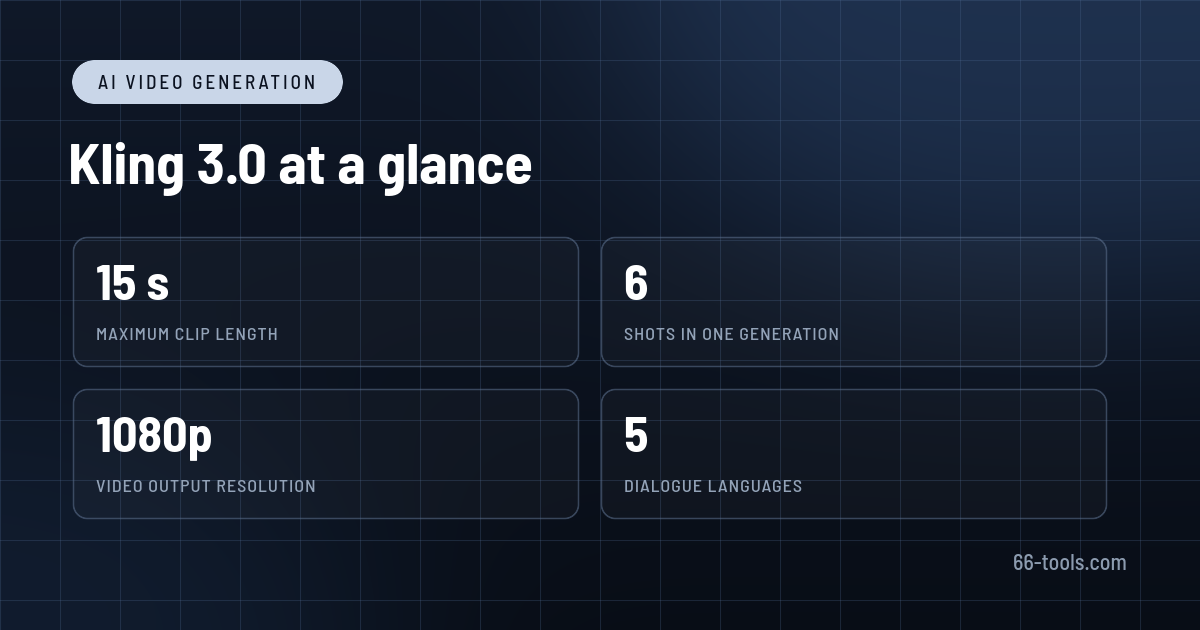
Kling AI has moved a long way from the short, silent clips that made it famous. The 3.0 generation, released by Kuaishou in February 2026, generates up to 15 seconds in one pass, adds native dialogue in five languages, and can plan several shots inside a single generation. For anyone making ads, social video or storyboards, that is a different tool from the one-clip generator of a year ago.
This review looks at what Kling 3.0 does well, how to structure a project so the credits do not evaporate, what the plans actually buy, and where the output still needs a human editor.
What Kling AI is
Kling is a browser and mobile studio for generated video and images. The current family includes Video 3.0 and Video 3.0 Omni for motion, plus Image 3.0 and Image 3.0 Omni for stills up to 2K and 4K. You can start from text, a single image, a start and end frame, or a reference video, and the model handles text-to-video, image-to-video and reference-to-video in one interface.
What separates the 3.0 release from earlier versions is structure. Video 3.0 understands a shot list, so a single prompt can produce a sequence with cuts, camera changes and dialogue rather than one continuous take. Elements let you define a character, product or location once and reuse it across generations, keeping the face, clothing and voice consistent. The Omni tier adds storyboard control where you set the duration, shot size, angle and action for each shot.
Kuaishou positions this as film-making rather than clip generation, and the interface reflects that: a project has references, shots, audio settings and an export path, not just a prompt box.
Where it performs
Native audio with real dialogue. The model generates speech in Chinese, English, Japanese, Korean and Spanish, including accents and some Chinese dialects, and matches lip movement to the line. In a multi-character scene you can assign dialogue to a specific character, which fixes the confusion that made earlier talking-head generations unusable. Voice binding keeps the same voice across shots.
Multi-shot sequences. A single generation can hold up to six shots within the 15-second limit, with automatic or custom shot planning. Shot-reverse-shot dialogue, cutaways and simple montage structures are within reach without exporting each clip and assembling them elsewhere. It is not a substitute for editing, but it removes a lot of stitching.
Consistency through Elements. Upload a character, a product and a location, and the model keeps them stable as the camera moves. Reference video goes further: Kling can extract a subject’s appearance and voice and place that subject in new scenes, which is useful for recurring brand characters and presenter-style content.
Motion and editing. Motion Control copies movement from a reference clip onto a generated character. The editing tools can change a background, swap clothing, or insert and remove people while keeping the original footage structure, which turns Kling into a rough post-production tool as well as a generator.
Text in video. Signage, product labels and on-screen captions hold up far better than in previous models. For e-commerce shots where a logo has to stay readable, this matters more than resolution alone.
A workflow that protects your credits
1. Storyboard before you open the tool
Six shots in 15 seconds means each shot averages two and a half seconds. Write the shot list first: what the audience sees, what moves, what is said. Prompts that describe a mood rather than a sequence waste the multi-shot capability.
2. Build the elements once
Create clean references for the character, the product and the main location. Use evenly lit images with the subject clearly separated from the background. Good elements are reused across the whole project; bad ones produce drift that no amount of rerolling fixes.
3. Draft short, silent and cheap
Test motion at five seconds and 720p without audio. Approve the movement and framing before spending credits on dialogue, 1080p or a longer duration. Most failed generations fail on motion, and motion is cheapest to fix early.
4. Add dialogue only after the picture works
Once the shot is right, bind the voice and add the line. Keep sentences short. The model handles a clean exchange better than a monologue with several names and numbers.
5. Finish in an editor
Export the approved shots and assemble them in CapCut or a desktop editor. Kling gives you footage, not a finished edit: music, pacing, captions and colour still belong in a timeline.
What it costs
Kling runs on credits rather than unlimited generation, and the free tier is for testing only: a small daily credit allowance that expires within 24 hours, a visible watermark, and no commercial usage rights. Paid plans remove the watermark, unlock 1080p and 4K output, and grant commercial use.
The list prices are $10 a month for Standard with 660 credits, $37 for Pro with 3,000, $92 for Premier with 8,000, and $180 for Ultra with 26,000. Annual billing cuts roughly 34%, bringing Standard to about $8.80 a month and Pro to about $32.56. Higher tiers mostly buy more credits at a lower rate, plus priority processing; the feature set is similar from Standard upward.
The real cost depends on what you generate. Kling’s own guidance puts a five-second 720p clip at roughly 20 to 30 credits, with 1080p and audio pushing a clip toward 60. With two to four attempts per keeper, 660 credits covers roughly five to ten finished five-second shots rather than the 22 the raw maths suggests. Pro’s 3,000 credits is the first tier that supports a regular publishing schedule. Model 3.0 also bills per second, so longer clips cost proportionally more.
Limitations to check
Fifteen seconds is still short. There is no long-form generation, and complex action, crowded scenes, hands and fast camera moves remain unreliable. Dialogue can mispronounce names, and the model may translate an unsupported language into English rather than deliver it.
Credits do not behave like a monthly bucket you can save: subscription credits expire with the billing cycle, while purchased top-ups last longer. Cost control is mostly about drafting low and avoiding reroll spirals. On the free tier, commercial use is not permitted at all, which rules it out for client work.
There are also the usual platform issues: content moderation, likeness restrictions, peak-time queues and regional availability. And the output still looks generated when a shot asks for subtle acting, physical interaction or precise continuity between separately generated scenes.
How it compares
Runway remains stronger for controlled edits and a broader toolkit of video models. Pika is simpler for short, effect-driven social clips. HeyGen is the better choice when the job is a presenter reading a script to camera rather than cinematic footage.
If your real task is repurposing long recordings, OpusClip is more direct. If you need a node-based pipeline that mixes several models, ComfyUI supports Kling alongside others.
Frequently asked questions
Is Kling AI free? There is a free tier with a small daily credit allowance, a watermark and no commercial rights. Serious use starts on the Standard plan at $10 a month.
How long can a Kling video be? Up to 15 seconds per generation, with a flexible range from 3 to 15 seconds. Longer projects are built from several generations and edited together.
Can I use Kling videos commercially? Yes on paid plans, where the watermark is removed and commercial usage is granted. Free-tier output cannot be used commercially.
Does it generate sound? Yes. Video 3.0 produces native dialogue and synchronised audio in Chinese, English, Japanese, Korean and Spanish, with support for accents and multiple characters.
Can I upload my own footage? Yes. Reference video can guide motion, character appearance or editing changes. Make sure you have the rights to any face or footage you upload.
Verdict
Kling 3.0 is the most complete consumer video generator available right now, not because it wins every technical comparison, but because it handles the whole shot: motion, dialogue, consistency and a cut. The multi-shot feature and native audio remove hours of assembly work, and the Elements system makes recurring characters practical.
It is still a short-form tool with a credit meter. Plan on drafting cheaply, finishing in an editor, and treating each generation as footage rather than a final asset. Used that way, it is genuinely useful for ads, social series and pre-visualisation. Used as a one-click video machine, it will burn through credits and disappoint.
Official site: Kling AI
Pricing: Kling AI membership plans
Editorial note: Features, availability and pricing can change. Verify current details directly with the provider before committing to a workflow.
Unlock the Telegram group to access all tools on this site
A one-time payment of US$5 gives you access to the Telegram group and all tools on this site. No subscription.
Enable JavaScript to securely check payment and reveal the invite link.
Share this article