




































• English
  • 中文 (中国)
  • ES Español
  • HI हिन्दी
  • AR العربية
  • BN বাংলা
  • PT Português
  • RU Русский
  • JA 日本語
  • DE Deutsch
  • FR Français
  • ID Bahasa Indonesia
  • TR Türkçe
  • TA தமிழ்
  • FA فارسی
  • IT Italiano
  • UR Urdu
  • MR Marathi
  • TE Telugu
  • VI Vietnamese
  • 한국어
  • ไทย
  • Tagalog
  • Kiswahili
  • ਪੰਜਾਬੀ
  • Basa Jawa
  • ગુજરાતી
  • Polski
  • Nederlands
  • Українська
  • Bahasa Melayu
  • Română
  • Magyar
  • Ελληνικά
  • Čeština
  • Svenska
  • සිංහල
  • ភាសាខ្មែរ
  • አማርኛ
  • Finnish
  • Icelandic
  • Slovak
  • Slovenian
  • Estonian
  • Latvian
  • Lithuanian
  • Bulgarian
  • Croatian
  • Serbian
  • Macedonian
  • Maltese
  • Luxembourgish
  • Irish
  • Danish
  • Norwegian
  • Hebrew
  • Albanian
Pereiti prie turinio
-
Prenumeruokite mūsų naujienlaiškį ir niekada nepraleiskite geriausių įrašų. Prenumeruokite dabar!
66 Toolbox

Atrinktos geriausių failų, vaizdų, vaizdo įrašų, garso ir DI įrankių apžvalgos. Sąžiningi palyginimai, kainų vadovai ir rekomendacijos.

66 Toolbox

Atrinktos geriausių failų, vaizdų, vaizdo įrašų, garso ir DI įrankių apžvalgos. Sąžiningi palyginimai, kainų vadovai ir rekomendacijos.

  • Pradžia
  • 66 Toolbox – Geriausi AI, vaizdo, garso, vaizdų ir dokumentų įrankiai
  • Pradžia
  • 66 Toolbox – Geriausi AI, vaizdo, garso, vaizdų ir dokumentų įrankiai
Uždaryti

Ieškoti

  • https://www.facebook.com/
  • https://twitter.com/
  • https://t.me/
  • https://www.instagram.com/
  • https://youtube.com/
Subscribe
Image Apps

Pixlr Apžvalga: Free Browser Photo Editing for Quick Edits and Social Graphics

By 66tools
22 spalio, 2026 2 Min Read
0

Pixlr is a browser-based photo editor that sits between Photopea and Canva. It opens in your browser, requires no installation, and handles quick retouching, resizing and social graphics. It is not as powerful as Photoshop or GIMP, but for one-off edits on the web, it is fast and free enough.
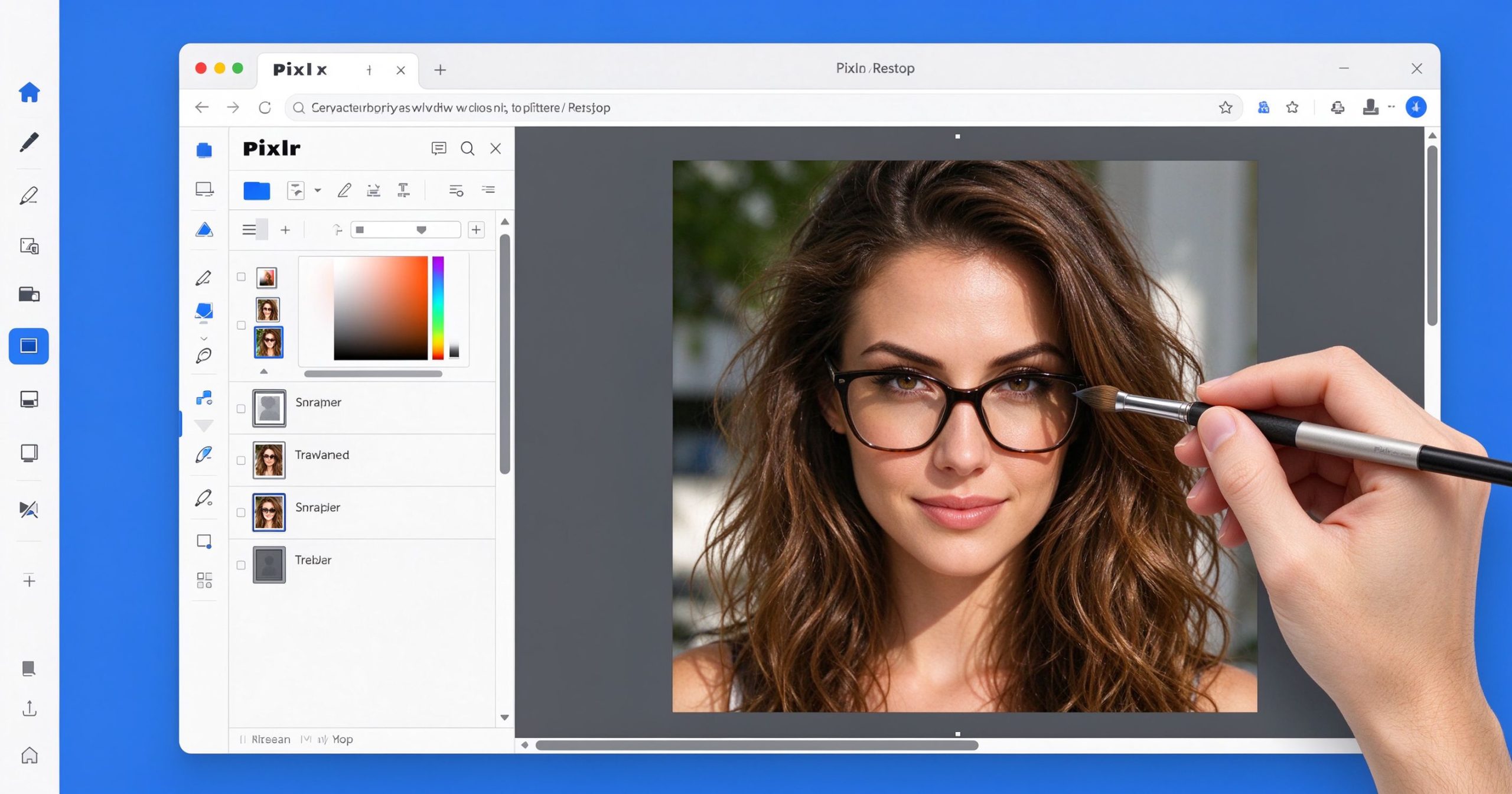
Pixlr review: free browser-based photo editor
Pixlr runs in the browser and handles quick photo edits, layers and filters without installation.

What Pixlr is

Pixlr offers two editors: Pixlr X (simplified, for quick edits) and Pixlr E (more advanced, with layers). Both run in the browser. You can upload a photo, apply filters, adjust exposure, remove blemishes, add text and stickers, then export as JPG or PNG. Pixlr also includes templates for social media graphics, similar to Canva but lighter.

The free version shows ads and limits some advanced tools. Pixlr Premium removes ads, unlocks all filters and templates, and adds cloud storage. It is available on desktop browsers and as a mobile app.

Where it works

Speed. No installation, no login required for basic edits. Open the browser, upload a photo, edit and export. For a quick crop or filter, Pixlr is faster than opening a desktop app.

Layers and retouching. Pixlr E supports layers, masks and a healing brush. It is not Photoshop, but it handles basic compositing and retouching in the browser.

Templates. Social media templates, flyers and collages cover the everyday design needs of small business owners and content creators.

Limitations

The free version has ads and watermarks on some templates. Performance degrades on large files. Advanced tools like frequency separation, CMYK and precise typography are absent. For serious work, GIMP or Photoshop is better.

What it costs

Free tier with ads and limited tools. Premium is about $5 per month, removing ads and unlocking all features.

Verdict

Pixlr is a solid free browser editor for quick photo edits and social graphics. It is not the most powerful or the simplest, but it occupies a useful middle ground. Start free; upgrade only if you need the templates and ad-free experience regularly.

Official site: Pixlr

Editorial note: Features and pricing can change. Verify current details directly with the provider.

PRIEIGOS PRIE ĮRANKIŲ BENDRUOMENĖ

Atrakinkite Telegram grupę, kad pasiektumėte visus šios svetainės įrankius

Vienkartinis US$5 mokestis suteikia prieigą prie Telegram grupės ir visų šios svetainės įrankių. Be prenumeratos.

Įjunkite JavaScript, kad saugiai patikrintumėte mokėjimą ir pamatytumėte pakvietimo nuorodą.


Share this article

FFacebookXXWWhatsAppLLinkedInPPinterestTTelegram

Author

66tools

Follow Me
Other Articles
Previous

Movavi Video Editor Apžvalga: Simple Video Editing for Beginners and Hobbyists

Next

Adobe Premiere Pro Apžvalga: The Professional Video Editor for Film and TV

No Comment! Be the first one.

Parašykite komentarą Atšaukti atsakymą

El. pašto adresas nebus skelbiamas. Būtini laukeliai pažymėti *

Kategorijos

  • AI Tools (65)
  • Audio Editors & DAWs (7)
  • Audio Tools (37)
  • Document Tools (39)
  • eSignature Tools (4)
  • Image Apps (65)
  • Online Document Editors (5)
  • PDF Converters (2)
  • PDF Editors (5)
  • PDF Readers (1)
  • PDF Utilities (3)
  • Podcast & Voice Tools (7)
  • Scanning & OCR (4)
  • Video Apps (60)

Naujausi įrašai

  • JPG į PNG įrankis: vaizdų konvertavimas sklandžiam naudojimui
  • Adobe Premiere Pro: pramonės standartinis redaktorius rimtam montažui
  • Final Cut Pro apžvalga: greitas ir sklandus redagavimas Mac ir iPad
  • iMovie vadovas: nemokamas ir paprastas vaizdo redagavimas Apple įrenginiuose
  • Filmora apžvalga: lengvas vaizdo redaktorius su kūrybiniais efektais

Naujausi komentarai

Nėra komentarų.

Archyvai

  • 2026 m. spalio mėn.

Kategorijos

  • AI Tools
  • Audio Editors & DAWs
  • Audio Tools
  • Document Tools
  • eSignature Tools
  • Image Apps
  • Online Document Editors
  • PDF Converters
  • PDF Editors
  • PDF Readers
  • PDF Utilities
  • Podcast & Voice Tools
  • Scanning & OCR
  • Video Apps

Draugiškos nuorodos

  • YouTube
Autorių teisės 2026 — 66 Toolbox. Visos teisės saugomos. Blogsy WordPress Theme