• English
  • 中文 (中国)
  • ES Español
  • HI हिन्दी
  • AR العربية
  • BN বাংলা
  • PT Português
  • RU Русский
  • JA 日本語
  • DE Deutsch
  • FR Français
  • ID Bahasa Indonesia
  • TR Türkçe
  • TA தமிழ்
  • FA فارسی
  • IT Italiano
  • UR Urdu
  • MR Marathi
  • TE Telugu
  • VI Vietnamese
  • 한국어
  • ไทย
  • Tagalog
  • Kiswahili
  • ਪੰਜਾਬੀ
  • Basa Jawa
  • ગુજરાતી
  • Polski
  • Nederlands
  • Українська
  • Bahasa Melayu
  • Română
  • Magyar
  • Ελληνικά
  • Čeština
  • Svenska
  • සිංහල
  • ភាសាខ្មែរ
  • አማርኛ
  • Finnish
  • Icelandic
  • Slovak
  • Slovenian
  • Estonian
  • Latvian
  • Lithuanian
  • Bulgarian
  • Croatian
  • Serbian
  • Macedonian
  • Maltese
  • Luxembourgish
  • Irish
  • Danish
  • Norwegian
  • Hebrew
  • Albanian
Skip to content
-
Subscribe to our newsletter & never miss our best posts. Subscribe Now!
66 Toolbox

Curated reviews of the best file, image, video, audio and AI tools. Honest comparisons, pricing guides and recommendations.

66 Toolbox

Curated reviews of the best file, image, video, audio and AI tools. Honest comparisons, pricing guides and recommendations.

  • Home
  • 66 Toolbox – AI・動画・音声・画像・ドキュメントツールのレビュー
  • 66 Toolbox – Avaliações de Ferramentas de IA, Vídeo, Áudio e Documentos
  • 66 Toolbox – Best AI, Video, Audio, Image & Document Tools
  • 66 Toolbox – Bewertungen der besten KI-, Video-, Audio- und Dokument-Tools
  • 66 Toolbox – Reseñas de Herramientas de IA, Video, Audio y Documentos
  • 66 Toolbox – Обзоры лучших инструментов для видео, аудио и ИИ
  • 66 Toolbox – مراجعات أدوات الذكاء الاصطناعي والفيديو والصوت
  • 66 टूलबॉक्स – बेस्ट AI, वीडियो, ऑडियो, इमेज और डॉक्यूमेंट टूल्स
  • 66 টুলবক্স – সেরা AI, ভিডিও, অডিও, ইমেজ ও ডকুমেন্ট টুলস
  • Home
  • 66 Toolbox – AI・動画・音声・画像・ドキュメントツールのレビュー
  • 66 Toolbox – Avaliações de Ferramentas de IA, Vídeo, Áudio e Documentos
  • 66 Toolbox – Best AI, Video, Audio, Image & Document Tools
  • 66 Toolbox – Bewertungen der besten KI-, Video-, Audio- und Dokument-Tools
  • 66 Toolbox – Reseñas de Herramientas de IA, Video, Audio y Documentos
  • 66 Toolbox – Обзоры лучших инструментов для видео, аудио и ИИ
  • 66 Toolbox – مراجعات أدوات الذكاء الاصطناعي والفيديو والصوت
  • 66 टूलबॉक्स – बेस्ट AI, वीडियो, ऑडियो, इमेज और डॉक्यूमेंट टूल्स
  • 66 টুলবক্স – সেরা AI, ভিডিও, অডিও, ইমেজ ও ডকুমেন্ট টুলস
Close

Search

  • https://www.facebook.com/
  • https://twitter.com/
  • https://t.me/
  • https://www.instagram.com/
  • https://youtube.com/
Subscribe
Video Apps

DaVinci Resolve Review: Hollywood-Grade Editing and Color Grading for Free

By 66tools
October 17, 2026 3 Min Read
1

DaVinci Resolve is the rare piece of software that is used on Hollywood films and available for free. It combines video editing, color grading, audio post-production and visual effects in a single application, and the free version is more capable than most paid editors. It is also the most complex tool on this list, with a learning curve that runs into weeks rather than hours.
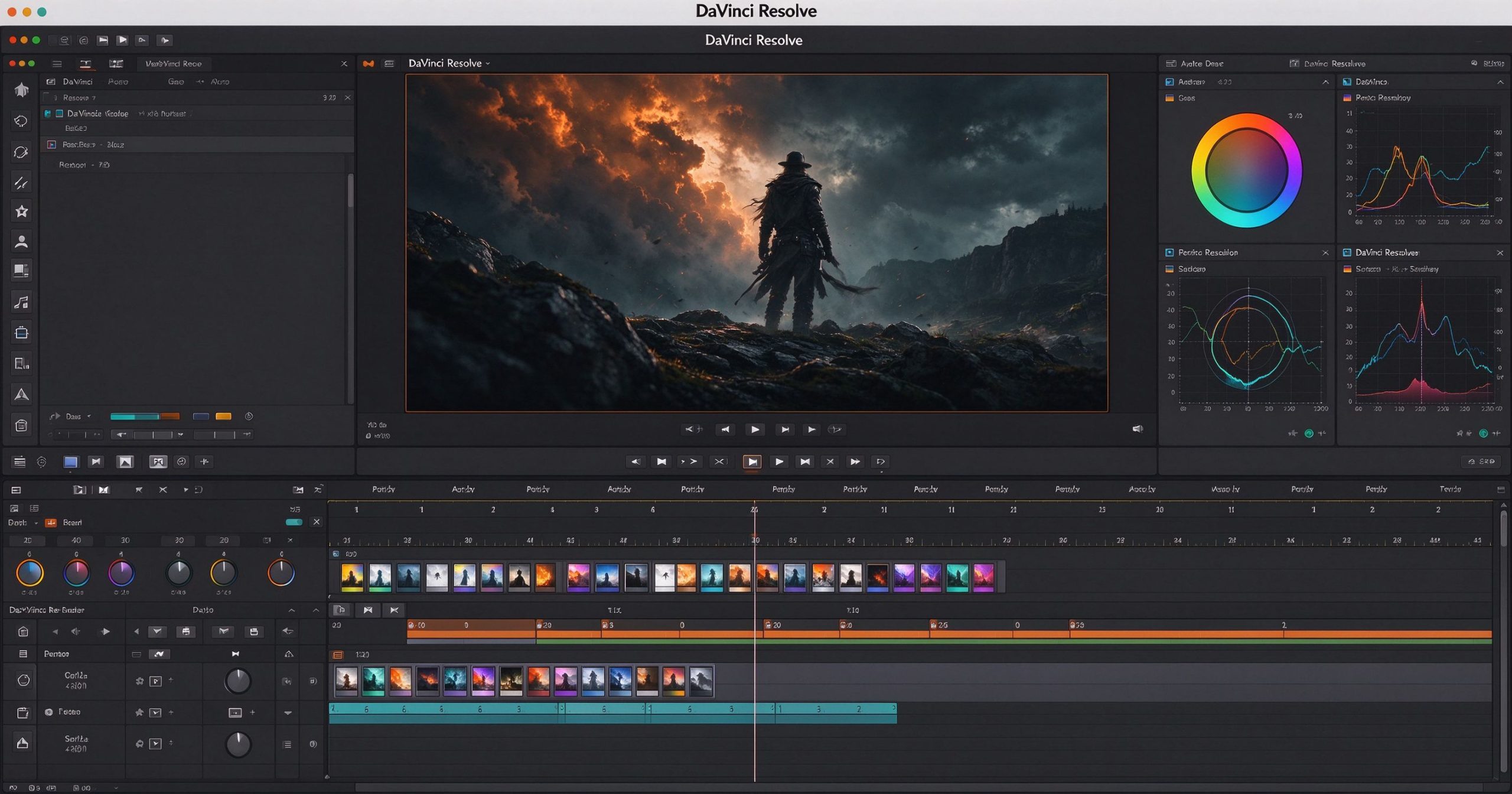
DaVinci Resolve review: professional video editing and color grading software
DaVinci Resolve brings professional color wheels, multi-track editing and Fairlight audio post to a free desktop application.

What DaVinci Resolve is

DaVinci Resolve is developed by Blackmagic Design, originally as a color grading system for broadcast and film. Over the years it absorbed editing, audio mixing and compositing, becoming an all-in-one post-production suite. It runs on Windows, macOS and Linux. The free version exports up to 4K 60fps and supports the vast majority of the editing and color tools.

The interface is organized into pages: Media (import), Cut (fast rough edit), Edit (full timeline), Fusion (node-based VFX), Color (grading), Fairlight (audio) and Deliver (export). Each page is a separate application within the app, and switching between them is seamless. This modularity is powerful but overwhelming on first launch.

Where it is unmatched

Color grading. This is DaVinci’s original reputation and it still leads. The color page gives you primary and secondary grading, node-based workflows, power windows, tracker, noise reduction and film emulation. No other consumer editor comes close to the depth here. If color matters, DaVinci is the answer.

Fairlight audio. The built-in Fairlight page is a full DAW with multi-track editing, EQ, dynamics, noise reduction and mastering tools. You do not need to send your audio to a separate app.

Fusion VFX. The Fusion page offers node-based compositing, titles, tracking and keying. It is not After Effects, but it handles motion graphics and basic VFX without leaving the application.

Price. The free version is genuinely professional. Resolve Studio costs $295 as a one-time purchase (not a subscription) and unlocks higher resolution, more effects, AI tools and collaborative multi-user editing. That is a fraction of what Premiere Pro costs per year.

Where it costs you time

The learning curve is real. The page-based interface, node trees and color wheels are not intuitive if you have only used consumer editors. Expect to spend a weekend on tutorials before your first serious project. The Cut page helps, but you still need to learn the Edit page for real work.

Hardware requirements are steep. Real-time playback of multiple 4K layers demands a decent GPU, and the app itself installs at several gigabytes. On a modest laptop, long projects can become sluggish.

Project management is less flexible than Premiere Pro’s dynamic link, and the ecosystem of third-party plugins is smaller. Collaboration features are limited to the paid Studio version.

What it costs

DaVinci Resolve is free to download and use. The paid Studio version is a one-time $295 purchase, not a subscription. There is no recurring fee, no watermark on the free version, and no artificial limits on project length.

How it compares

For quick social video on a phone, CapCut is faster. For browser-based editing, Kapwing is simpler. For free Windows editing with effects, VSDC is lighter. DaVinci Resolve wins when color grading, audio post or professional output quality is the priority.

Frequently asked questions

Is DaVinci Resolve really free? Yes. The free version exports 4K and includes nearly all editing and color tools. Studio is a one-time $295 upgrade.

Can it edit YouTube videos? Yes, and it is more than capable. The learning curve is the cost, not the feature set.

Does it run on Mac? Yes, with native Apple Silicon support.

Verdict

DaVinci Resolve is the best value in professional video editing. The free version rivals tools that cost hundreds per year, and the Studio upgrade is a one-time fee. The trade-off is complexity: if you need to edit a single TikTok today, use something simpler. If you want to learn professional post-production and never pay a subscription, this is the tool.

Official download: DaVinci Resolve

Editorial note: Features and pricing can change. Verify current details directly with the provider.

TOOLS ACCESS COMMUNITY

Unlock the Telegram group to access all tools on this site

A one-time payment of US$5 gives you access to the Telegram group and all tools on this site. No subscription.

Enable JavaScript to securely check payment and reveal the invite link.


Share this article

FFacebookXXWWhatsAppLLinkedInPPinterestTTelegram

Author

66tools

Follow Me
Other Articles
Previous

Snapseed Review: Google’s Free Photo Editor That Lives in Your Pocket

Next

InShot Review: The Simplest Mobile Video Editor for Social Media

One Comment
  1. Adobe Premiere Pro recenzija: Profesionalni video editor za film i TV – 66 Toolbox says:
    October 22, 2026 at 5:11 am

    […] društvene video zapise, CapCut ili InShot su brži. Za besplatni profesionalni color grading, DaVinci Resolve konkuriše Premiere-u bez […]

    Reply

Leave a Reply Cancel reply

Your email address will not be published. Required fields are marked *

Categories

  • AI Tools (66)
  • Audio Editors & DAWs (7)
  • Audio Tools (37)
  • Document Tools (39)
  • eSignature Tools (4)
  • Image Apps (65)
  • Online Document Editors (5)
  • PDF Converters (2)
  • PDF Editors (5)
  • PDF Readers (1)
  • PDF Utilities (3)
  • Podcast & Voice Tools (6)
  • Scanning & OCR (4)
  • Site Updates (1)
  • Uncategorized (1)
  • Video Apps (60)

Recent Posts

  • Grammarly Review 2026: AI Writing Assistant for Grammar, Clarity and Tone
  • FL Studio Review 2026: Popular Beat-Making DAW for Windows and macOS
  • Hemingway Editor Review 2026: Distraction-Free Writing Tool for Clear, Bold Prose
  • Camtasia Review 2026: Professional Screen Recorder and Video Editor for Tutorials
  • Polarr Review 2026: Online Photo Editor and AI-Powered Filters for Quick Retouching

Recent Comments

  1. Léirmheas Nano Banana Pro: Eagarthóir Íomhánna 4K AI Google – 66 Toolbox on Midjourney: Create Images and Explore Visual Ideas with AI
  2. Léirmheas Kling AI: Fís Físeáin le Fuaim Dúchasach agus Rialú Il-sheite – 66 Toolbox on CapCut Review: Quick Video Editing and Captions for Social Media
  3. Léirmheas Otter.ai: Nótaí Cruinnithe AI is Féidir Leat a Chuardach Níos déanaí – 66 Toolbox on Fireflies.ai Review: Searchable Notes for Meetings and Interviews
  4. Léirmheas Video Converter Factory: Comhshó Baisc agus Comhbhrú ar Windows – 66 Toolbox on PowerDirector Review: Desktop Video Editing with AI Features
  5. Léirmheas DaVinci Resolve: Eagarthú Grád Hollywood agus Grádú Dath in Aisce – 66 Toolbox on CapCut Review: The Free Video Editor Behind Most Viral Short Form Clips

Archives

  • October 2026

Categories

  • AI Tools
  • Audio Editors & DAWs
  • Audio Tools
  • Document Tools
  • eSignature Tools
  • Image Apps
  • Online Document Editors
  • PDF Converters
  • PDF Editors
  • PDF Readers
  • PDF Utilities
  • Podcast & Voice Tools
  • Scanning & OCR
  • Site Updates
  • Uncategorized
  • Video Apps

Friendly Links

  • YouTube
Copyright 2026 — 66 Toolbox. All rights reserved. Blogsy WordPress Theme