





































Canva is the design tool people reach for when they need something that looks finished in fifteen minutes and do not want to open Photoshop. It is a browser-based drag-and-drop editor with a template library so large that the hard part is often choosing a starting point rather than building one. That ease is both its strength and its ceiling: it removes the technical barriers to design, but it also nudges every user toward layouts that start to look the same.
This review covers what Canva does well, where it falls short of professional software, the real cost of the paid tiers, and who should actually pay versus staying on the free plan.
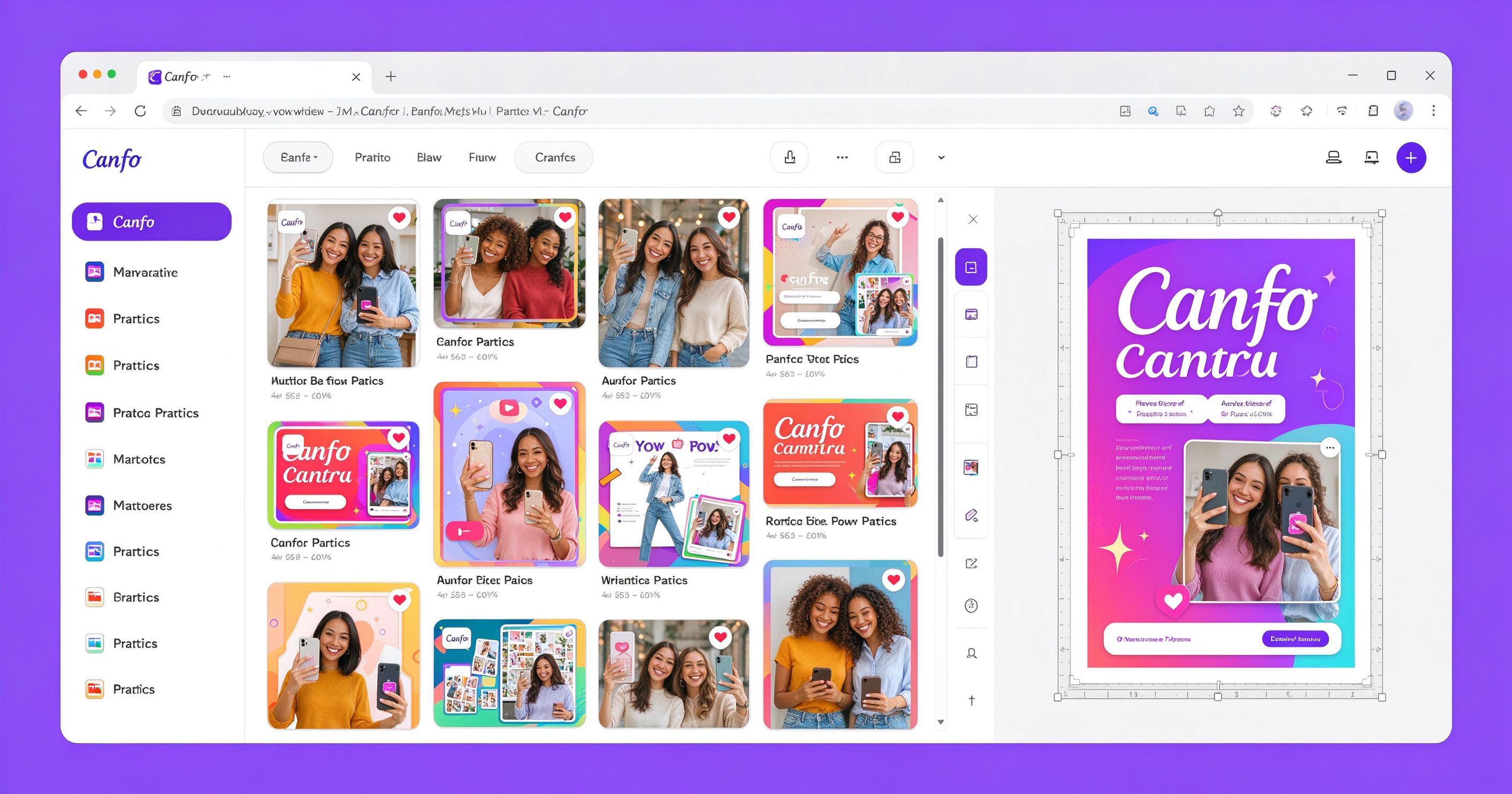
What Canva is
Canva is a cloud-based graphic design platform launched in 2013 and now used by well over 100 million people worldwide. It runs in any modern browser and has native apps for Windows, Mac, iOS and Android. The core idea is simple: instead of starting from a blank canvas, you pick a template for the output you need, then swap in your own text, photos, logos and colors. Everything you place stays editable, and you can resize the whole design into a different format in one click.
The templates cover the full range of everyday business content: social media posts for every major platform, presentations, posters, flyers, business cards, resumes, YouTube thumbnails, newsletters, invitations, invoices and video intros. If there is a format that people regularly need to produce for work, Canva almost certainly has a template for it.
Beyond templates, Canva includes a built-in photo editor, a remove-background tool, a brand kit for consistent logos and colors, a stock photo and illustration library, a vector icon library, and an AI design assistant that suggests layouts based on a text prompt. In recent years it has added video editing, website building, whiteboards and document editing, turning it from a poster maker into a general-purpose content workstation.
Where Canva earns its reputation
Speed from zero to finished. This is the reason most people stay. A social media graphic that would take an hour in a traditional editor takes ten minutes in Canva: choose a template, change the text, upload a photo, swap the colors, export. The learning curve is measured in minutes, not weeks.
One-click resizing. The Magic Resize feature takes a design you have already built and reflows it into another format. A LinkedIn post becomes an Instagram story, a presentation slide becomes a square graphic, without rebuilding from scratch. This alone saves hours of repurposing work for social media managers.
Brand consistency at scale. With Canva Brand Kit, you set your logo, brand colors and fonts once. Every team member then picks from those assets, and the designs come out looking like they came from the same company rather than from five different people on five different days.
Stock assets included. The built-in library of photos, illustrations, icons, audio clips and video footage means you do not need a separate stock subscription to put together a decent design. Free users get a large subset; Pro unlocks the full library and the remove-background tool.
Collaboration is built in. Multiple people can edit the same design simultaneously, comments attach to specific elements, and version history lets you roll back. This is closer to Google Docs than to a traditional design app, and it works well for marketing teams and small agencies.
What it costs
The free plan is genuinely useful. It gives you hundreds of thousands of templates, the core photo editor, basic drag-and-drop design, 5 GB of cloud storage and access to a large free stock library. A solo user who only needs the occasional social graphic can stay on the free plan indefinitely.
Canva Pro costs about $13 per month when billed annually (roughly $15 per month month-to-month). It unlocks Magic Resize, the full stock library, the background remover, brand kit tools, 100 GB of storage, and the AI design and writing assistants. For a one-person business or a freelancer producing client work, this is the tier that makes Canva a professional tool.
Canva for Teams starts at about $15 per user per month on annual billing, with a minimum of one seat plus added seats. It adds shared brand controls, team folders, approval workflows and admin controls. Most small teams will not need this until they have at least three people producing design assets regularly.
Limitations to know before you commit
Canva is not a replacement for Adobe Illustrator, Photoshop or InDesign. Precision typography control, advanced layer blending, CMYK print output and pixel-level retouching are all either absent or limited. If your work involves a press run with strict color standards, or complex multi-page documents with running headers and footers, you will outgrow Canva.
The template ecosystem has a conformity problem. Because millions of people start from the same layouts, designs can start to feel interchangeable. The most-used templates show up in dozens of feeds every day. The fix is to modify templates heavily rather than swap in your text and call it done.
AI features vary in quality. The AI image generator is competent but not competitive with Midjourney or DALL-E for creative work. The AI text assistant writes generic copy that needs editing. Treat these as accelerators, not replacements for judgment.
Finally, everything lives on Canva’s servers. If your business depends on the platform, you are bound by its pricing changes and feature shifts. Export your source files regularly, and do not treat a Canva design as a permanent asset you own outright in the same way you would a layered PSD.
How it compares with alternatives
For browser-based editing with a steeper learning curve and more power, Photopea opens actual PSD files and gives you layer-based editing without the subscription. For AI-generated imagery, Ideogram handles text in images far better. For one-off background removal, remove.bg is faster. And for batch resizing and format conversion of existing image folders, XnConvert runs locally for free.
Canva wins when the job is to produce a polished design quickly, collaboratively and without specialized training. It loses when the job demands print-level precision, deep pixel manipulation or fully custom illustration.
Frequently asked questions
Is Canva free to use? Yes. The free plan includes most templates, the core editor and a large free stock library. You only need to pay if you want Magic Resize, the background remover, the full stock library or team features.
Can I use Canva designs commercially? Yes. Designs you create with free or Canva Pro assets are yours to use commercially, including for client work. Check the license on any individual stock element you upload yourself.
Does Canva work offline? The desktop app has limited offline functionality. The browser version requires an internet connection. Most real-world use is online.
Is Canva good for print? It is adequate for digital printing and simple flyers. For professional offset printing with CMYK color management, you will want dedicated prepress software.
Can I cancel Canva Pro anytime? Yes. You can downgrade to the free plan at any time, and your designs remain accessible on the free tier, though Pro-only elements will be locked.
Verdict
Canva is the default design tool for good reason: it removes the barrier between “I need a graphic” and “I have a graphic,” and it does so at a price that makes sense for individuals and small teams. It is not a substitute for professional design software, and anyone who relies on it for high-stakes branding should learn the limits before they hit one.
Start on the free plan. Upgrade to Pro when you find yourself hitting the background-remover wall, needing Magic Resize, or producing enough client work that the time saved justifies the monthly fee. Beyond that, teams should evaluate the Teams plan only when collaboration and brand governance become actual problems.
Official product page: Canva
Pro pricing: Canva Pricing
Editorial note: Features, availability and pricing can change. Verify current details directly with the provider before committing to a workflow.
Atrakinkite Telegram grupę, kad pasiektumėte visus šios svetainės įrankius
Vienkartinis US$5 mokestis suteikia prieigą prie Telegram grupės ir visų šios svetainės įrankių. Be prenumeratos.
Įjunkite JavaScript, kad saugiai patikrintumėte mokėjimą ir pamatytumėte pakvietimo nuorodą.
Share this article
